
The short answer
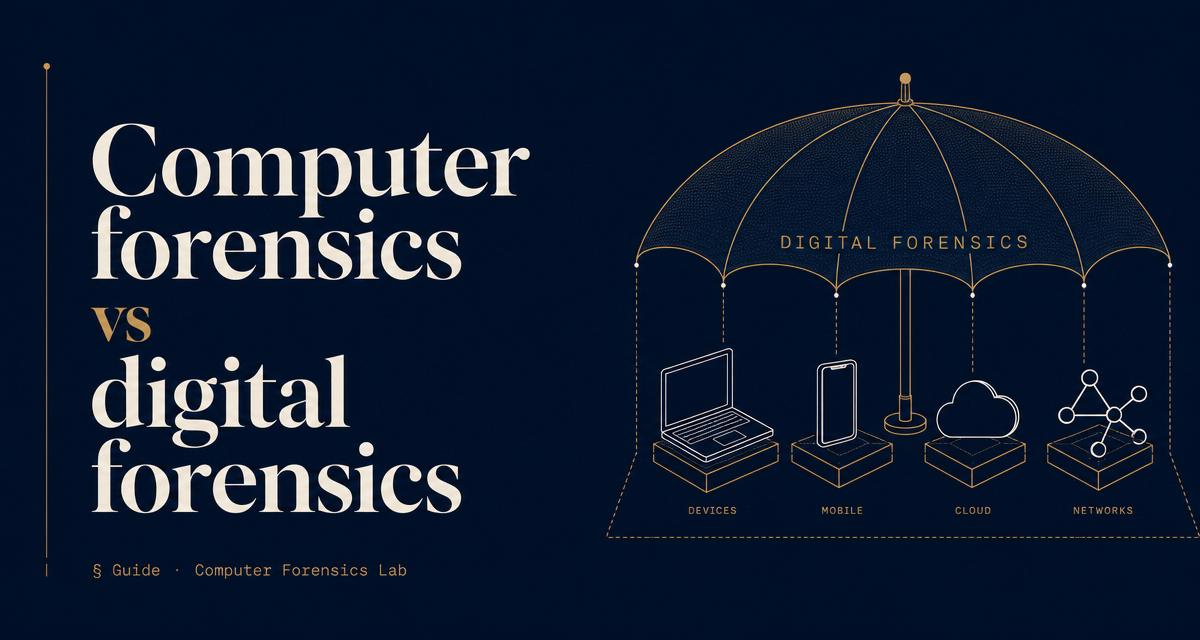
Computer forensics is the forensic examination of computers, laptops and their storage media. Digital forensics covers computer forensics plus every other source of digital evidence, including mobile phones, cloud accounts, network traffic, vehicle infotainment systems and IoT devices. When people say "computer forensics" they often mean digital forensics; when they say "digital forensics" they always include computers.
Where the terms came from
Computer forensics emerged in the 1980s and 1990s, when the digital evidence in most cases lived on a single desktop hard drive. The tooling, the training and the case law all grew up around that world. As evidence spread to phones, servers, cloud services and connected devices, practitioners needed a broader label; "digital forensics" is now the standard umbrella term in NPCC, ISO 17025 and academic use.
What computer forensics covers
- Desktop and laptop hard drives and SSDs, including full-disk imaging and hash verification.
- External storage: USB sticks, external drives, memory cards, optical media.
- Windows, macOS and Linux artefacts: registry, event logs, prefetch, shellbags, browser history, LNK files.
- Deleted file and partition recovery, unallocated space carving, and slack space analysis.
- Encrypted volumes where credentials or keys can be produced.
What digital forensics adds on top
- Mobile forensics: iOS and Android extraction, chat databases, location traces, application data.
- Cloud forensics: Microsoft 365, Google Workspace, Slack, Dropbox and iCloud account artefacts.
- Network forensics: packet captures, firewall and proxy logs, intrusion timelines.
- Vehicle forensics: infotainment and telematics data from cars and heavy plant.
- IoT and wearable forensics: smart speakers, watches, home security systems.
Why the distinction matters when instructing
Instructing a "computer forensic expert" when the evidence sits on a phone or in a Microsoft 365 mailbox risks the wrong tools, the wrong extraction and the wrong report. In modern cases the evidence is almost always spread across several sources at once: a laptop, a phone, an email account and a cloud drive. A digital forensics laboratory scopes across all of them; a narrow computer forensics remit stops at the machine.
Ask the examiner which sources they can extract from in-house. If the answer is only computers, half of the evidence in a typical modern matter is out of reach.
How the two overlap in practice
The underlying principles are identical: preserve the source, hash-verify the copy, work only on the image, document every step, produce a CPR Part 35 compliant report. What changes is the acquisition method and the artefact set. A computer forensic examination follows a settled routine that has been refined for four decades. A cloud or mobile examination applies the same principles to sources that change every few months as vendors update their platforms.
Which do you need?
- Only a desktop or laptop is in issue → computer forensics is enough.
- A phone, a cloud account, network logs, or any combination → you need digital forensics.
- You are not sure what sources hold the answer → instruct a digital forensics lab and let the scoping call decide.
Frequently asked questions
No. Computers still hold decisive evidence in fraud, IP theft and employee misconduct matters. What has changed is that they are rarely the only source.
Yes. ISO 17025, NPCC guidance and CPR Part 35 apply across the whole of digital forensics, computer forensics included.
A single examiner may have depth in one area and working knowledge across others; a laboratory brings the full spread. For anything with multiple evidence sources, prefer a laboratory.
No. Mobile forensics is a distinct branch under the digital forensics umbrella, with its own tools, extraction methods and artefact set.
Instruct a digital forensics lab. Scoping will identify which branches - computer, mobile, cloud, network - the matter actually touches.